How to Clean a Robot Vacuum
Here's how to clean a robot vacuum: turn it off, empty the bin and remove wrapped hair from brushes and wheels. Clean the filter, sensors, charging contacts and unplugged dock using your model's care instructions.
On this page (10 sections)
- What do you need to clean a robot vacuum?
- How do you clean the bin and filter?
- How to clean a robot vacuum brush
- How do you clean the side brush?
- How do you clean the wheels?
- How do you clean robot vacuum sensors and contacts?
- How do you clean a self-empty dock?
- How often should you clean a robot vacuum?
- What should you check after cleaning?
- How to keep a robot vacuum clean and choose the right parts
Here's how to clean a robot vacuum: switch it off, empty the bin, clear wrapped hair and clean the filter, wheels, sensors and contacts using your model's instructions. Unplug the dock before cleaning its compartment or emptying path.
Start with cleaning rather than ordering parts. A roller wrapped in hair may need clearing, while one with split rubber needs replacing.
Our guide to stopping pet hair from tangling in a robot vacuum covers stubborn wraps. For help choosing a machine that suits shedding pets, start with the complete robot vacuum for pet hair guide.
What do you need to clean a robot vacuum?
You need a dry microfiber cloth, a trash can and the cleaning tool supplied with your robot. Have the manual nearby so you can check which parts detach and which can get wet.
Turn the robot off and unplug the dock. If it has a mop attachment or removable water tank, remove it as directed before turning the robot over.
Work on a soft, flat surface without putting pressure on exposed sensors or raised parts. Keep small caps and fasteners together so they go back in the right place.
Use a hair-cutting tool only where the manual allows it. Keep the cutting edge away from rubber fins, bristles and wires.
How do you clean the bin and filter?
Empty the bin and clear the filter first, because blocked airflow can reduce pickup even when the brushes look clean. Remove the bin over a trash can and open its door slowly.
Remove the filter before washing any washable bin. Wipe accessible dust from the bin compartment and intake, without pushing debris deeper into the robot.
Clean the filter using the method in your manual. A washable bin does not mean its filter is washable too.
Let rinsed parts dry fully for the time your manual requires. Do not reinstall them while damp or speed drying with heat unless the instructions allow it.
The iRobot essential care instructions offer guidance for supported models. Use your exact model's manual for removal, washing and replacement steps.
How to clean a robot vacuum brush
Lift out the main brush and clear its ends as well as its center. Tight rings of hair around the ends can restrict movement even after the visible roller looks clean.
Open the brush guard and note which end fits each side before removing the roller. Pull loose hair away by hand or with the supplied tool, making short cuts only if permitted.
Remove end caps or bearings only when the manual shows they detach. Clear trapped hair, wipe the brush bay and replace every cap before closing the guard.
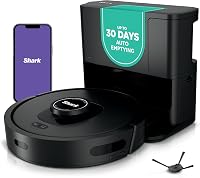
The Shark AI Main Brush pack suits owners of compatible robots whose roller has split, worn down or remained stiff after cleaning. Skip it if your current roller is sound or your exact model is outside its compatibility range.
ZXHUANGOH recommends replacement every 3–6 months. Use that as a planning interval alongside your robot's manual and the brush's condition, rather than discarding a working part solely because time has passed.
If hair pickup stays poor with a clear brush and intake, floor type may also matter. Read how robot vacuums work on carpet before assuming another roller will solve the problem.
How do you clean the side brush?
Clear hair beneath the side brush's hub, removing the brush only as your manual directs. Hair can hide around the shaft while the arms look clear from above.
Check for a split hub, missing bristles or arms that remain badly bent. Do not force a brush onto its post or run the robot with it loosely attached.
The Shark AI Side Brush pack suits compatible Shark owners replacing worn edge-sweeping brushes. Skip it for a main-roller problem or when the existing side brush becomes clear and turns normally after cleaning.
ZXHUANGOH recommends replacing these brushes every 2–3 months. Check their condition during routine care and follow the robot's fitting instructions when installing a replacement.
How do you clean the wheels?
Remove accessible hair and thread from the caster and drive wheels. Buildup around an axle can make a robot drag, turn poorly or struggle at rug edges.
Rotate each wheel gently to inspect the surrounding space. Move spring-loaded drive wheels only within their normal travel.
Remove the caster only if the manual explains how. Clean its socket, refit it securely and check that it spins freely before returning the robot to the floor.
Avoid adding oil or lubricant unless the manufacturer specifically calls for it. Do not pry into enclosed wheel assemblies to reach hidden debris.
How do you clean robot vacuum sensors and contacts?
Wipe accessible sensor windows and charging contacts using the approved cleaning method. Use a clean, dry microfiber cloth for routine dust removal unless your manual directs otherwise.
Check cliff sensors underneath, obstacle sensor windows around the body and accessible full-bin sensor ports. Wipe gently without scratching clear surfaces or pushing dirt into openings.
Clean the robot's contacts and those on the unplugged dock. Keep liquid out of the robot and never spray cleaner directly onto either unit.
The iRobot sensor cleaning guidance applies to supported models. For other robots, follow their own care instructions.
How do you clean a self-empty dock?
Unplug the dock and remove its bag or bin, then clear loose debris from accessible areas. Inspect the emptying opening for a visible blockage without pushing tools deep into the air path.
Replace a full bag and seat the new inlet correctly before closing the cover. A bag that is full or fitted poorly can interfere with emptying.
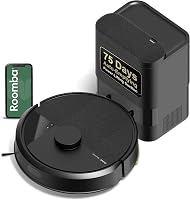
The Roomba AutoEmpty Dirt Bags suit owners of those dock combinations who want genuine iRobot replacements. Skip them for an unsupported dock or a robot without automatic emptying.
iRobot says the bags hold up to 75 days of debris. Follow the dock's full-bag guidance and check sooner with heavy shedding rather than treating that duration as a fixed change date.
The Roborock Q7/Q10 Dust Bags suit owners of compatible docks who want a supply of third-party replacements. Skip them if you prefer original-brand parts or cannot confirm the exact dock fit.
GRIMSON recommends disposal at 80% capacity. These bags are disposable, so do not wash or empty them for reuse.
Match the robot and dock combination before choosing either bag type. Our guide to self-empty stations on robot vacuums explains why dock upkeep remains part of the routine.
How often should you clean a robot vacuum?
Use your manual's schedule and inspect sooner when debris builds up. Daily runs in a shedding pet home call for closer checks than occasional runs on light dust.
Use these checks between scheduled care sessions:
- After busy runs, inspect the onboard bin, brush ends and side-brush hub.
- When pickup drops, check the filter, intake and roller before increasing suction.
- When movement changes, inspect the wheels for hair or thread.
- When charging becomes unreliable, inspect the contacts and dock position.
- When automatic emptying fails, check the bag and accessible emptying path.
Keep spare parts dry and labeled with their compatible model. Check your supply before the last bag or usable brush runs out.
How to clean a robot vacuum without common mistakes
Keep water away from parts that are not approved for washing, and never run the robot without its filter. A filter that looks clean may still need replacement if it is damaged or blocked.
Do not pull hard on wound hair while a brush is installed. Remove the brush as directed so you can reach the wrap without straining its mount.
If a robot collects a pet accident, stop it and follow its contamination-cleanup instructions before another run. See our guide to robot vacuums and pet accidents for prevention advice.
What should you check after cleaning?
Confirm that every part is dry, secure and correctly seated before restarting. Check the filter, bin, brush ends, guard and any wheel or mop parts you removed.
Start a short run in an open area and listen for scraping or rattling. Observe its movement from a safe distance, then confirm that it returns to the dock.
Stop and switch it off if a new noise starts. Recheck the parts you removed, especially the roller ends and guard, before trying again.
How to keep a robot vacuum clean and choose the right parts
Clean sound parts, replace worn brushes and change full dock bags. Learning how to clean a robot vacuum starts with identifying the affected part, so you buy only what solves the problem.
Choose the Shark main roller for a damaged compatible roller, or the side-brush pack for worn edge brushes. Choose iRobot or GRIMSON bags only for the matching dock; neither solves a tangled brush or blocked onboard filter.
If cleaning and correct replacement parts do not restore normal operation, follow the manufacturer's troubleshooting steps. Read how long robot vacuums last to help decide between further maintenance and replacing an aging machine.
Frequently asked questions
How often should you clean a robot vacuum?
Check the bin and brushes after busy runs, especially in a pet home, and remove visible buildup; inspect wheels, sensors, contacts and the dock regularly using your manual's schedule. Daily use and heavy shedding call for more frequent checks than occasional runs on lightly dusty floors.
Can you wash a robot vacuum filter?
Wash a robot vacuum filter only if your exact model's manual says it is washable; otherwise, keep it dry and remove dust using the approved method. Let any washable filter dry fully before fitting it again, and replace filters that are torn, misshapen or still blocked after proper cleaning.
Why does my robot vacuum leave hair behind?
Wrapped hair, a full bin or a clogged filter can cause a robot vacuum to leave hair behind. Clear those parts, check the brush ends and inspect the intake before another run; if pickup stays poor, check for worn brushes and follow your model's troubleshooting steps.
When should a robot vacuum brush be replaced?
Replace a robot vacuum brush when cleaning no longer restores its shape or free movement; split rubber, missing bristles, worn ends and a roller that still binds after debris removal are reasons to inspect it closely. Follow your model's replacement schedule and match the exact part before buying.