Robot Vacuums and Pet Accidents: What to Know
The Roomba Max 715 is the clearest fit here for a robot vacuum that avoids poop because iRobot specifically names pet-waste recognition. Check the floor before every run, since detection can't guarantee a clear path.
On this page (7 sections)
- Can a robot vacuum really avoid poop?
- Which robot vacuum that avoids poop fits your home?
- What should you check before buying?
- How should you set up safer cleaning runs?
- What mistakes make pet accidents more likely to spread?
- What should you do if a robot vacuum hits pet waste?
- Which choice should you make for your pet home?
The Roomba Max 715 is the clearest fit here for a robot vacuum that avoids poop, because iRobot specifically names pet waste among the objects its obstacle system recognizes. Keep a floor check in your routine even with that feature.
The other options suit different needs: mixed floors, controlled room cleaning or routine mopping. Choose waste recognition first if accidents are your main concern, then compare the cleaning features you'll use every day.
Can a robot vacuum really avoid poop?
A robot with pet-waste recognition can help steer around an accident, but detection isn't a guarantee. Small, flat, partly hidden or oddly shaped messes can be harder to spot than a clear object in an open path.
Three features often get grouped together even though they do different jobs:
- Mapping helps the robot plan routes and identify rooms.
- Obstacle detection helps it respond to objects in its path.
- Pet-waste recognition specifically addresses the mess you're trying to avoid.
A detailed map doesn't mean a robot knows where today's accident happened. Likewise, sensing furniture or other obstacles doesn't establish that a robot can recognize waste.
If accidents happen often or without warning, run the robot only in checked rooms while someone can monitor it. Postpone automatic cleaning when you can't confirm the floor is clear.
Which robot vacuum that avoids poop fits your home?
The Roomba Max 715 fits the waste-recognition priority most directly among these four options. Choose the others for their cleaning features only if you're comfortable managing accident risk through room access and a floor check.
Roomba Max 715: for buyers seeking a robot vacuum that avoids poop
Choose the Max 715 when waste recognition and frequent pet-hair cleanup belong on the same shortlist. iRobot says its PrecisionVision AI identifies and responds to pet waste, along with cords, toys, shoes, socks and pet bowls.
Its dual rubber anti-tangle brushes suit homes where shed hair adds to daily floor debris. Carpet Boost raises suction on rugs, while app no-go zones let you exclude areas that need a separate check.
The bagged AutoEmpty dock holds up to 90 days of debris, according to iRobot. Actual emptying needs depend on the amount of hair and dirt collected, and the brushes still need regular attention.
Skip it if your floors stay clear and you mainly need scheduled dust pickup in a few rooms. Its waste-recognition feature also isn't a reason to leave a robot running freely around a pet with frequent accidents.
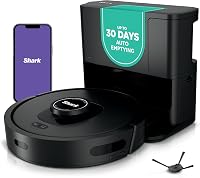
Shark AV2820S: for homes with changing floor surfaces
Choose the Shark when routine cleaning across hard floors, rugs and thresholds matters more than specific waste recognition. It combines 360° LiDAR and 3D object detection, but those features don't establish that it identifies pet waste.
Shark's NeverStuck technology lifts and lowers the robot to help it cross obstacles and thresholds. That suits a home where room transitions interrupt cleaning, although loose cords and small belongings should still come off the floor.
Its bagless, 30-day self-empty base suits buyers who prefer emptying a container to replacing dust bags. Skip this option if explicit pet-waste recognition is the feature deciding your purchase.
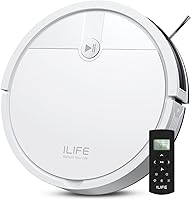
Roomba 105 Vac: for people who choose each cleaning area
Choose the Roomba 105 Vac if you'll inspect rooms first and then send the robot to selected spaces. Its room targeting, schedules and app keep-out zones support that controlled routine.
ClearView LiDAR handles mapping, and the bagged AutoEmpty dock holds up to 75 days of debris. Neither feature establishes pet-waste recognition, so this is a routine dry-cleaning choice for a home where you can manage access.
Skip it if you expect the robot to identify surprise accidents during unattended runs. Setup and operation use 2.4 GHz Wi-Fi; our guide to whether a robot vacuum needs Wi-Fi explains why connectivity matters for app features.
Roborock Q10 S5+: for checked floors that also need mopping
Choose the Q10 S5+ if you want routine vacuuming and damp floor care in one machine. Its ReactiveTech structured-light obstacle avoidance and app no-go zones help manage cleaning routes, without establishing pet-waste recognition.
The VibraRise 2.0 mop lifts up to 8 mm when carpet is detected. Check rug clearance rather than assuming a lifting pad will stay clear of every thick or uneven rug.
Skip it if accidents are common or you don't want to wash a mop pad after use. For the tradeoffs, read robot vacuum and mop versus vacuum-only for pet homes.
What should you check before buying?
Prioritize recognition, room control and floor fit, in that order, when accident prevention drives your search. Suction strength helps with debris pickup; it doesn't tell you whether a robot can identify waste.
Measure low furniture and the space available for the dock. Leave the approach clear according to the model's instructions so the robot can return without squeezing past pet bowls or clutter.
Next, consider your cleaning workload. Long hair calls for brush care, rugs affect clearance, and a self-empty base reduces bin emptying without removing other maintenance.
Our robot vacuum guide for pet hair explains brushes and floor coverage. If you're still deciding how much work to automate, see whether robot vacuums are worth it for pet owners.
How should you set up safer cleaning runs?
Start with a supervised run on a clear floor, then build a schedule around times you can inspect the route. A schedule that starts after you leave gives you no chance to catch a new accident.
Use this setup sequence:
- Place the dock away from feeding and toileting areas.
- Clear cords, toys, loose fabric and other small obstacles.
- Map the home using the robot's instructions.
- Name rooms clearly so you can select the right cleaning area.
- Exclude puppy pads, litter areas and recurring accident spots.
- Watch the first cleaning route and adjust access where needed.
A closed door is useful when an area must stay off limits. An app boundary only protects the area you marked, so allow space around a known problem spot.
Before later runs, inspect under tables, beside furniture and around pet beds. Pause schedules when your pet is unwell, learning house habits or staying somewhere unfamiliar.
What mistakes make pet accidents more likely to spread?
The biggest mistake is treating obstacle avoidance as permission to skip the floor check. A robot's route can be clear at breakfast and contain an accident by its afternoon start time.
Avoid these habits:
- Leaving old schedules active: change them when your pet's routine changes.
- Assuming no-go zones find messes: boundaries exclude places, not new accidents elsewhere.
- Using a mop on waste: the pad can carry contamination across the floor.
- Ignoring sensors and wheels: buildup can interfere with sensing or movement.
Inspect brushes, wheels and sensors on a regular schedule, using the care method in the manual. Anti-tangle brushes reduce one maintenance task; they don't remove the need to check for trapped hair.
For hair wrapped around a roller, see stopping pet hair from tangling in a robot vacuum brush. If rugs are the main obstacle, read whether robot vacuums work on carpet before changing cleaning settings.
What should you do if a robot vacuum hits pet waste?
Stop the robot immediately, before it crosses more floor or returns to its dock. Power it off as directed in its manual before handling affected parts.
Keep pets away from the cleanup area and wear gloves. Check the travel path, wheels, brushes, underside and bin, plus the dock if the robot reached it.
Remove waste carefully and clean the floor with a cleaner suitable for that surface. Follow its label, including contact time and instructions for keeping pets away.
Only rinse removable parts the manual identifies as washable, and keep electrical parts dry. Contact brand support if waste reaches wiring, a motor or spaces you can't clean.
Let cleaned parts dry fully before reassembly. Replace contaminated consumables when directed, and resume cleaning only after both the robot and its route are clear.
For later routine maintenance, see how to clean a robot vacuum.
Which choice should you make for your pet home?
Pick the Max 715 if you're choosing a robot vacuum that avoids poop and want explicitly named pet-waste recognition. Choose the Shark for mixed-floor cleaning, the 105 Vac for selected-room runs, or the Q10 S5+ for vacuuming and mopping on checked floors.
If you can't inspect the area and accidents are likely, delay the run regardless of model. For homes where rugs also drive the decision, how to choose a robot vacuum for carpet is the useful next step.
Frequently asked questions
Can a robot vacuum avoid dog poop?
Some robots have systems designed to recognize and avoid pet waste, but none should replace a floor check; among these options, iRobot specifically names pet waste for the Roomba Max 715. Close off unchecked rooms and delay cleaning if your pet may have had an accident.
What should I do if a robot vacuum runs over pet waste?
Stop the robot before it travels farther or returns to its dock, then power it off according to its manual. Clean affected floor areas and removable parts using suitable methods; keep electrical parts dry, and contact support if waste reaches a motor, wiring or areas you can't reach.
Do robot vacuum mop combos avoid pet accidents?
A mop combo needs a separate obstacle system to detect objects; the mop itself provides no pet-waste recognition. The Roborock Q10 S5+ has structured-light obstacle avoidance, but that doesn't establish waste recognition; inspect the floor before vacuuming or mopping, and keep either mode away from accidents.
How can I lower the chance of a robot vacuum spreading a mess?
Inspect the whole cleaning route before starting, including areas under furniture and around pet beds; close doors to unchecked rooms and exclude known accident spots. Run the robot after your pet's usual outdoor break when practical, and pause automatic schedules whenever accidents become more likely.