6 Best Robot Vacuums Without a Mop for Pet Hair (October 2026)
The best robot vacuums without a mop for pet hair include the Roomba 105 Vac for busy homes with room-by-room routines, the Shark AV2501S for skipping disposable dock bags, and the Shark AV2501AE for households prioritizing fewer base-emptying chores.
On this page (6 sections)
- The best robot vacuums without a mop for different pet homes
- How to choose a robot vacuum without a mop for pet hair
- How to set up a no-mop robot for useful daily cleaning
- What care does a vacuum-only robot still need?
- Common mistakes when buying a robot vacuum without a mop
- Which best robot vacuum without a mop should you choose?
The Roomba 105 Vac is the best robot vacuum without a mop for most pet homes here because it combines room targeting, keep-out zones and a bagged self-emptying dock. Choose the ILIFE V2 if you want remote control without Wi-Fi, or the Shark AV2501AE if fewer bagless-base emptying trips matter most.
Vacuum-only cleaning makes sense when fur, dry dirt and crumbs are your daily problem. It leaves floor washing to a separate tool and avoids adding mop pads or water care to your routine.
For broader advice, start with our robot vacuum for pet hair buying guide. Compare other options in our best robot vacuums for pet hair and best self-emptying robot vacuums for pet hair guides.
Our picks at a glance
-
1
-
2
-
3

The best robot vacuums without a mop for different pet homes
The Roomba 105 Vac leads this group for flexible room cleaning and bagged debris disposal. The other picks suit specific priorities, including a reusable dock container, shared app and remote controls, or a home without Wi-Fi.
We compared floor suitability, hair-handling designs, route controls and debris disposal. The scores reflect those features and their fit for this search, with the highest-scoring model first.
Start with the chore you want to reduce most. A larger base helps with debris disposal, while room controls help you clean the kitchen without sending the robot through every bedroom.
| Product | Best for | Dock | Navigation | Controls | Our score |
|---|---|---|---|---|---|
| Roomba 105 Vac | busy homes with room-by-room routines | Bagged self-empty dock, up to 75 days | ClearView LiDAR | App, buttons and voice assistants | 8.2 |
| Shark AV2501S | skipping disposable dock bags | Bagless self-empty base, up to 30 days | 360-degree LiDAR and Matrix Clean | App and voice assistants | 8.0 |
| Shark AV2501AE | households prioritizing fewer base-emptying chores | Bagless self-empty base, up to 60 days | 360-degree LiDAR and Matrix Clean | App and voice assistants | 7.8 |
| ILIFE A30s | app and remote control | Charging dock | LDS LiDAR and SLAM mapping | App, remote and voice assistants | 7.7 |
| Shark AV2110S | daily fur pickup | Bagless self-empty base, up to 30 days | SmartPath LiDAR | App and voice assistants | 7.4 |
| ILIFE V2 | Wi-Fi-free homes with low furniture | Charging dock | Cleaning without predefined routes | Remote and one-touch button | 7.4 |
Roomba 105 Vac: room control for a robot vacuum without a mop
Roomba 105 Vac: Best for busy homes with room-by-room routines
- Bagged AutoEmpty dock
- ClearView LiDAR mapping
- Room targeting and keep-out zones
- Adjustable suction and cleaning passes
Target the rooms that collect the most fur and block areas you want left alone. The bagged dock suits households that prefer to discard a closed debris bag.
Pros
- Room schedules and targeted cleaning
- Keep-out zones and adjustable passes
- Bagged debris disposal
Cons
- Setup and operation require 2.4 GHz Wi-Fi
- Dock needs replacement bags
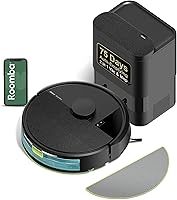
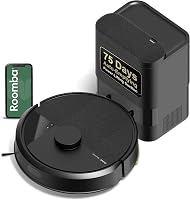
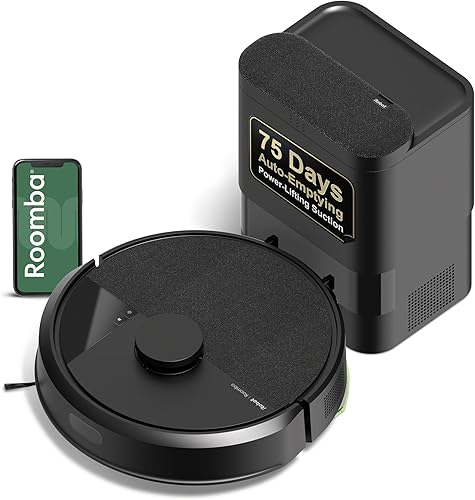
The Roomba 105 Vac suits a household that wants different cleaning routines for different rooms. ClearView LiDAR maps the layout, while the app lets you target rooms, set keep-out zones and change suction or cleaning passes.
That flexibility is useful when fur collects around a favorite sleeping spot but spare rooms need less attention. You can give a busy area another pass without repeating a whole-home run.
iRobot says the bagged AutoEmpty dock holds up to 75 days of debris. Its bag traps 99% of allergens as small as 0.7 microns, according to iRobot, and lifts out for disposal rather than requiring you to tip loose debris from a container.
The cleaning system uses a multi-surface brush and an edge-sweeping brush. Buttons and compatible voice assistants provide ways to start cleaning alongside the app.
Skip it if you want to avoid replacement bags or cannot provide the required 2.4 GHz Wi-Fi connection for setup and operation. Its room controls are a stronger reason to choose it than a brand-specific suction comparison.
Shark AV2501S: bagless disposal with grid cleaning
Shark AV2501S: Best for skipping disposable dock bags
- Bagless HEPA self-empty base
- Matrix Clean grid passes
- 360-degree LiDAR mapping
- Self-cleaning brushroll
A reusable debris container and a brushroll designed to reduce hair wrap suit regular pet-hair cleanup. Matrix Clean adds multiple passes across a grid.
Pros
- No disposable dock bags
- Self-cleaning brushroll
- Recharge and Resume
Cons
- Base needs manual debris disposal
- Shorter claimed storage interval than the AV2501AE
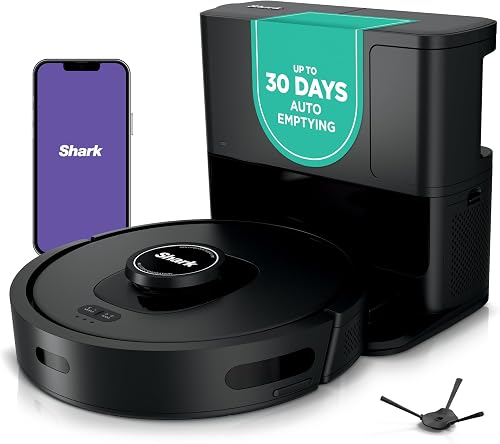
The Shark AV2501S fits pet owners who want automatic emptying without disposable dock bags. Its self-cleaning brushroll is designed to reduce hair wrap, and Matrix Clean guides multiple passes across a grid.
Those passes suit a routine focused on areas where fur and tracked-in debris gather. Its 360-degree LiDAR maps the home and supports an organized route rather than cleaning without a planned map.
Shark claims up to 30 days of debris storage in the base. The base's HEPA filtration captures 99.97% of dust and allergens down to 0.3 microns, according to Shark.
Recharge and Resume lets the robot charge and then continue a job. Schedule cleaning when the floor is available, especially if a longer run could overlap with meals or playtime.
Skip it if your main priority is the longest interval between base-emptying chores. The AV2501AE offers a longer claimed interval, while the Roomba suits readers who prefer bagged disposal.
For context on power claims across models, read what robot vacuum suction power means.
Shark AV2501AE: extra debris storage for fewer disposal trips
Shark AV2501AE: Best for households prioritizing fewer base-emptying chores
- XL bagless HEPA self-empty base
- Matrix Clean grid passes
- 360-degree LiDAR mapping
- Self-cleaning brushroll
Choose this Shark when extra debris storage matters more than a different set of cleaning features. Its larger claimed storage interval separates it from the AV2501S.
Pros
- Longest claimed storage interval among these Sharks
- Reusable bagless debris container
- Recharge and Resume
Cons
- Cleaning features overlap with the AV2501S
- Bagless container still needs manual emptying
The Shark AV2501AE suits buyers who want more bagless debris storage rather than a different style of floor cleaning. Shark claims its XL HEPA base holds up to 60 days of dirt and debris.
It shares Matrix Clean, LiDAR mapping and a self-cleaning brushroll with the AV2501S. That overlap makes dock capacity the clearest reason to move from one to the other.
Both support carpet and hard floors, and this model also offers Recharge and Resume. Choose it for a pet home where frequent small-bin emptying would otherwise interrupt the cleaning routine.
A larger storage claim does not set your calendar for you. Check the container early during shedding season, then adjust your emptying routine to the amount of fur actually collected.
Skip it if you are happy emptying a smaller bagless base more often. There is little reason to choose it solely for a different cleaning method when the AV2501S shares its main cleaning features.
Before choosing either dock style, read what a self-empty station does. Leave enough access to remove and empty the container comfortably.
ILIFE A30s: mapped cleaning with a remote for shared use
ILIFE A30s: Best for app and remote control

- Vacuum-only cleaning
- LiDAR mapping and room selection
- Dual anti-tangle brush design
- Included remote
Mapped cleaning and an included remote give household members different ways to start a run. Choose it if you want room controls and are comfortable emptying the robot's bin.
Pros
- App and physical remote
- Room selection and virtual walls
- Automatic carpet boost option
Cons
- Manual bin emptying
- App connection requires 2.4 GHz Wi-Fi
The ILIFE A30s suits a household where one person wants app controls and another prefers a remote. It combines LDS LiDAR and SLAM mapping with an included remote and compatible voice controls.
The ILIFE Clean app handles room selection, no-go zones, virtual walls and schedules. You can also adjust suction and enable automatic carpet boost rather than using one setting for every surface.
ILIFE's dual anti-tangle brush design targets pet-hair cleanup. Its maximum 10,000 Pa claim applies to Spot Mode, so that number describes a specific mode rather than every minute of a normal run.
The robot has a 500 ml dustbin and a charging dock. Plan to empty the bin yourself, especially while learning how much fur a regular cleaning session collects.
Skip it if avoiding manual bin emptying is your main goal. A mapped route does not replace the convenience of a self-emptying base.
Its app connection requires 2.4 GHz Wi-Fi. The remote is useful for starting cleaning, but choose the app if room boundaries and targeted schedules are the features you need.
Shark AV2110S: scheduled upkeep across carpet and hard floors
Shark AV2110S: Best for daily fur pickup
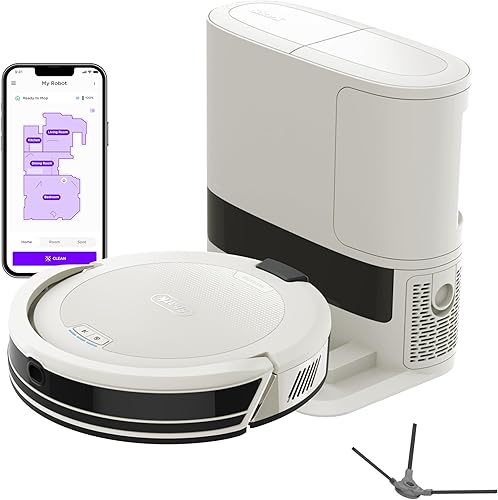
- Bagless self-empty base
- SmartPath LiDAR row-by-row cleaning
- Anti-hair wrap brushroll
- Recharge and Resume
Row-by-row routes, scheduled cleaning and an anti-hair wrap brushroll suit routine upkeep across carpet and hard floors. App boundaries help keep runs focused on accessible areas.
Pros
- Scheduled and targeted cleaning
- No-go zones
- Bagless debris storage
Cons
- Shorter claimed storage interval than the AV2501AE
- App needed for no-go zones and spot targeting
The Shark AV2110S suits daily fur pickup across a mix of carpet and hard floors. SmartPath uses LiDAR mapping to clean in rows, and its brushroll is designed to limit hair wrap.
The SharkClean app supports schedules, spot targeting and no-go zones. Those controls help you build a repeatable routine around the floor areas that stay clear and accessible.
Its bagless base holds up to 30 days of debris, according to Shark. Recharge and Resume allows a job to continue after charging instead of requiring you to restart it.
Shark also provides sensors for detecting and avoiding objects. Keep the floor ready for cleaning anyway, since a route around a large object does not establish reliable avoidance of every cord, small toy or pet accident.
Skip it if you need the larger storage interval of the AV2501AE. Also favor the AV2501S if Matrix Clean's grid passes are central to your choice.
Choose the Navigator for its row-by-row routine and app boundaries, then set a schedule you can support with a quick floor check.
ILIFE V2: simple cleaning beneath low furniture
ILIFE V2: Best for Wi-Fi-free homes with low furniture

- Suction port without a roller brush
- 2.99-inch body height
- Remote and button controls
- Scheduled cleaning
Simple controls and a low body suit hard-floor rooms where fur gathers beneath furniture. Its roller-free suction port removes one common place for hair to wind.
Pros
- No Wi-Fi required
- Low profile for furniture clearance
- No main roller brush to detangle
Cons
- No mapped room selection
- Carpet guidance is limited to low-pile carpet
The ILIFE V2 suits hard-floor rooms where fur gathers under beds and sofas. Its 2.99-inch body offers lower clearance than the Roomba 105 Vac and Shark AV2501S, which are both 4.1 inches tall.
Measure the lowest point beneath the furniture, including any sagging fabric. Leave some clearance instead of assuming a gap equal to the robot's height will work.
The V2 uses a suction port without a main roller brush. That removes one common place for long hair to wind, although wheels and side brushes still need checks.
A remote or one-touch button starts cleaning, with no Wi-Fi required. It also offers scheduled runs, auto, spot and edge modes, and automatic return to the charging dock when the battery is low.
Skip it if you need mapped room selection or no-go zones. It cleans without predefined routes, so it suits a simple, contained area better than a routine built around specific mapped rooms.
ILIFE's floor guidance includes hard floors and low-pile carpet. Choose a different approach for a home dominated by deep carpet or difficult rugs.
How to choose a robot vacuum without a mop for pet hair
Choose by floor type, hair handling and the chores you will still do yourself. Mapping and self-emptying solve different problems, so decide which one removes the bigger burden from your routine.
Start with the floor that is hardest to clean
Carpet needs attention to pile, rug edges and brush contact, while hard floors put more focus on loose debris and access beneath furniture. Choose for the hardest surface on the route, not just the largest open room.
A robot that works comfortably on tile may struggle to cross a thick rug or pull hair from deep pile. Fringe and loose corners also create snag points even when the main carpet surface is suitable.
Read our guide to robot vacuums for thick carpet if rugs are the main concern. Keep a full-size vacuum for deeper carpet care and areas a robot cannot reach.
Match the hair-handling design to your cleanup needs
A brushroll helps work across floor surfaces, while a roller-free suction port removes a place where hair can wrap. Anti-tangle and self-cleaning designs aim to reduce wrap without removing the roller.
For mostly hard floors and long loose hair, the V2's suction-port design is worth considering. For mixed floors, weigh the brush designs on the Shark models and A30s alongside their route controls.
Do not stop checking moving parts because a brush is described as self-cleaning. Hair can gather around brush ends, side-brush shafts and wheel axles.
Our guide to stopping hair tangles in a robot vacuum brush explains where to look when pickup drops or the robot starts dragging hair around.
Choose bagged or bagless disposal before dock capacity
Choose bagged disposal if you prefer lifting out collected debris in a bag. Choose bagless disposal if you prefer a reusable container and are willing to tip its contents into the trash.
The trade-off continues after the first week. Bags need replacements, while reusable containers need emptying and care.
For bagless disposal, hold the container low over the trash and avoid shaking it indoors. Filtration during operation does not remove the need to handle collected dust carefully.
Treat all day-count storage claims as upper limits. A busy shedding household may fill a base much sooner than a lightly used home.
Decide how much control your household needs
Mapped room cleaning is useful when bedrooms, feeding areas and living spaces need different schedules. A simple remote works well when you want to start cleaning in an area you have already prepared.
Think about who will use the robot every day. The A30s gives a shared household both options, while the V2 keeps routine operation free of a network connection.
If connectivity is a concern, our guide to whether a robot vacuum needs Wi-Fi explains the difference between basic controls and connected features.
Check access as well as runtime
A robot needs a usable path beneath furniture, through doorways and back to its dock. Measure tight gaps and watch the first runs across thresholds before relying on an unattended schedule.
Battery minutes alone do not tell you how much of your home a run will cover. More passes, difficult surfaces and higher suction can change how long a job takes.
Recharge and Resume matters when a job needs more than one charge. Automatic return to a dock by itself does not mean a robot will continue an unfinished route.
How to set up a no-mop robot for useful daily cleaning
Begin with a clear floor, a stable dock location and one supervised run. Use that first run to find access problems before adding a schedule.
Give the dock a permanent home
Place the dock on a level surface near power, following the manual's clearance instructions. Leave the approach open and allow room above or around the base for emptying and filter care.
Avoid a spot where doors swing across the robot's path or pet bowls crowd the entrance. A dock that is easy to reach and service is more useful than one hidden behind furniture.
Keep its position steady once mapping is complete. If you move it, follow the model's instructions for restoring the map or dock location.
Prepare the floor before creating a map
Pick up charging cables, socks, small toys and loose fabric. Secure rug fringe where practical and remove anything wet before the robot starts.
Open the doors to rooms you want included in the cleaning area. Keep furniture in its usual position so the map reflects the route the robot will use most often.
For a mapped model, name rooms and set boundaries after the map is ready. Block fragile floor displays or problem corners instead of letting repeated interruptions become part of every run.
Build a schedule around your pet
Start with one run while you can watch how your pet reacts. Leave a quiet place for the animal to rest away from the robot and dock.
Schedule cleanup after the times fur and crumbs tend to build up. A daily pass through busy rooms can be more useful than an infrequent whole-home run through rooms that stay clean.
Use extra passes where debris remains, then check the result before increasing suction everywhere. A targeted adjustment preserves time for the areas that need it.
What care does a vacuum-only robot still need?
A vacuum-only robot still needs clear brushes, clean airflow paths and reliable charging contacts. Skipping mopping equipment removes wet-cleaning chores, but it does not remove dry-debris maintenance.
Check the bin and brush after early runs
Inspect the dustbin after the first few sessions to learn how quickly your home fills it. For self-emptying models, confirm debris is transferring into the base instead of packing around the robot's outlet.
Remove hair from accessible brush ends and side brushes using the manual's method. Turn the robot off before working around moving parts.
If pickup suddenly falls, check for a full bin, a blocked inlet or tangled brush before changing cleaning settings. More suction will not clear every physical blockage.
Follow the filter instructions
Clean and replace filters on the schedule in the manual, with extra checks during heavy shedding. Wash only parts the brand identifies as washable, and let them dry fully before refitting.
Wipe sensors and charging contacts as directed so dust does not interfere with routine operation. Keep water away from electrical parts.
Our robot vacuum cleaning guide walks through a practical care routine. Keep the correct filters, brushes and dock bags available so a worn part does not stop regular cleaning.
Common mistakes when buying a robot vacuum without a mop
The biggest mistake is buying for one headline feature while ignoring the daily routine. Dock size, suction and object detection each help with a specific task.
Choosing by the biggest suction number
Compare suction figures only with their mode and measurement context in mind. A maximum Spot Mode figure and a comparison against an older robot are different claims.
Prioritize floor suitability, brush care and coverage controls first. Those choices determine whether the robot fits the work you need done.
Assuming object detection makes floor checks unnecessary
Keep cords, pet waste, wet spills and small loose items out of the cleaning area. General obstacle sensing does not establish reliable recognition of every hazard.
Do a quick check before scheduled runs, especially when a pet is unwell. A delayed cleaning session is better than sending the robot through a fresh accident.
Buying self-emptying to avoid all upkeep
A base handles collected debris, not hair wrapped around wheels or dust on a filter. Budget a brief inspection into the routine even when the container has room left.
Also check access before ordering. A base that fits between cabinets may still be awkward to open, empty or move for care.
Expecting vacuum-only cleaning to remove sticky messes
Dry vacuuming collects loose debris but does not wash dried paw marks or sticky spills. Keep a separate floor-cleaning method for those jobs.
Choose a mop combo only if wet-floor cleaning is a task you want the robot to handle. Otherwise, vacuum-only keeps the daily job focused.
Which best robot vacuum without a mop should you choose?
Choose the Roomba 105 Vac for room-by-room routines and bagged disposal. Choose the Shark AV2501S for bagless storage with grid passes, or the AV2501AE when fewer base-emptying trips matter more.
Pick the ILIFE A30s when mapped controls and a shared remote matter more than automatic emptying. The Shark AV2110S suits scheduled row-by-row upkeep, while the ILIFE V2 fits Wi-Fi-free cleaning beneath low furniture.
The best robot vacuum without a mop is the one whose remaining chores you will keep doing. Match the disposal method to your habits, confirm floor and furniture access, and plan brush checks from the start.
If washing hard floors is still part of your decision, use our vacuum-only and vacuum-and-mop comparison for pet homes to settle that choice before ordering.
Our top 3 picks at a glance
-
1
-
2
-
3
Frequently asked questions
What is the best robot vacuum without a mop for pet hair?
The Roomba 105 Vac is our top choice here for its combination of room targeting, keep-out zones and a bagged self-emptying dock. Choose the Shark AV2501AE if a larger bagless base matters most, or the ILIFE V2 if you want remote control without a Wi-Fi connection.
Do robot vacuums without a mop work for pet hair?
Yes, vacuum-only robots can collect loose pet hair from suitable floors without any mopping equipment. Choose a brush design that fits your mix of fur and carpet, and plan regular cleanup of wheels, side brushes and filters; a roller-free suction port removes one place where hair can wrap.
Is a self-emptying robot vacuum useful in a home with pets?
Yes, a self-emptying base reduces how often you handle the robot's small dustbin, which is useful when fur builds up quickly. You still need to check brushes and filters, and empty the base or replace its bag; heavy shedding can shorten the brand's claimed debris-storage interval.
Can a robot vacuum clean pet hair on carpet?
Yes, several picks here support carpet cleaning, including the Shark AV2501S, Shark AV2501AE and Shark AV2110S. Match the robot to your carpet pile and watch for loose rug edges or fringe that can catch moving parts; our guide to robot vacuums on carpet explains the main limits.
Should I choose a vacuum-only robot or a vacuum-and-mop?
Choose vacuum-only when your main goal is collecting dry fur, crumbs and dust, and you already have a way to wash hard floors. A mop combo adds wet-floor care and extra upkeep; our vacuum-only vs. vacuum-and-mop comparison helps you decide whether that extra function earns its place.