How to Choose a Self-Emptying Robot Vacuum
Choose a self-emptying robot vacuum by matching its bagged or bagless dock to your disposal routine, then checking floor care, mapping, and brush maintenance. Pick vacuum-only for dry debris or a vacuum-and-mop model if you'll also care for water and mop pads.
On this page (9 sections)
- What should you check first in a self-emptying robot vacuum?
- How much dock capacity do you need?
- Which navigation and controls make sense for your home?
- Should you choose vacuum-only or vacuum-and-mop?
- Which features matter for carpets, hard floors, and pet hair?
- How should you set up the dock and first cleaning runs?
- How much maintenance does a self-emptying robot still need?
- Which buying mistakes cause the most extra work?
- Which self-emptying robot vacuum should you choose?
Choose a self-emptying robot vacuum by deciding how you want to dispose of dirt, then matching the robot to your floors, hair buildup, and room layout. Dock capacity matters, but the right brush, useful controls, and an easy care routine matter more than a long emptying estimate.
Start with vacuum-only if your main job is collecting hair, crumbs, and dust. Add mopping only if you want damp floor care and will handle the extra pad and water work.
For the basics, read what a self-empty station does. The checks below help you choose among four models and plan for the work that remains.
What should you check first in a self-emptying robot vacuum?
Check dock placement, disposal method, and floor needs before comparing extra features. These decide whether the robot fits your home and whether you'll use it often enough to benefit.
Find a permanent spot near an outlet where the robot can reach its base without crossing clutter. Leave room to open the dock and remove its bag or container, following the brand's clearance directions.
Next, identify the job that takes the most effort now. Daily shedding, long hair, scattered crumbs, and dusty hard floors call for different priorities.
| Your main need | Prioritize | Check before buying |
|---|---|---|
| Less contact with loose dirt | Bagged disposal | Replacement bag availability and how the bag comes out |
| No disposable dust bags | Bagless base | Container access and where you'll empty it |
| Heavy shedding or long hair | Brush design and easy access | How you'll remove wrapped strands |
| Several rooms with pet areas | Mapping and zone controls | Room targeting and no-go or keep-out features |
| Mostly carpet and dry debris | Vacuum cleaning features | Brush care, rug access, and thresholds |
| Hard floors needing a damp wipe | Vacuum-and-mop option | Floor suitability, pad care, and rug protection |
Write down your top two needs before choosing. A robot that fits those needs is a better choice than one with features you'll leave unused.
How much dock capacity do you need?
Choose enough capacity to reduce your emptying chores, but don't use advertised days as a deadline. Heavy shedding, tracked-in dirt, and frequent cleaning can fill a dock sooner.
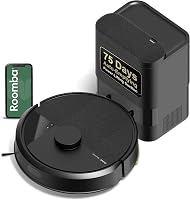
Shark gives the AV2501AE's bagless base up to 60 days of capacity, while iRobot gives the Roomba 105 Vac's bagged dock up to 75 days. Roborock gives the Q7 M5+ up to 7–9 weeks with its 2.7 L sealed dust bag.
These estimates don't establish which dock lasts longest in your home. Check the collected debris early in your routine, especially during shedding season or after starting regular cleaning.
A bigger dock also doesn't solve a blocked transfer path. If dirt remains in the robot after emptying, check for a full bag, packed debris, or an obstruction according to the manual.
Bagged or bagless: which self-emptying robot vacuum fits your routine?
Choose bagged disposal if you prefer removing dirt inside a bag. Choose bagless if avoiding replacement bags matters more and you're comfortable tipping loose debris into the trash.
Bagged docks create an ongoing supply to manage. Keep a spare bag available so a full one doesn't interrupt your cleaning schedule.
Bagless docks remove that bag requirement, but you'll need a suitable place to empty the container. Open it close to the trash and avoid shaking debris into the air.
Filtration deserves attention, though it doesn't replace careful disposal. Shark specifies true HEPA filtration for the AV2501AE base, while iRobot says the Roomba's bag traps 99% of allergens as small as 0.7 microns.
Those different claims aren't a direct measure of allergy relief. Focus on the complete disposal routine and the filter care you can maintain.
For more detail on the format, see how a robot vacuum self-empty station works.
Shark AV2501AE: choose it for bagless dry-floor cleaning
The Shark AV2501AE suits households that want vacuum-only cleaning without disposable dock bags. Its self-cleaning brushroll also makes it worth considering when pet hair is a regular part of the cleanup.
Matrix Clean Navigation uses a grid with multiple passes over debris. Its 360° LiDAR mapping supports planned coverage, and Recharge and Resume lets it return to cleaning after recharging.
Choose this model if your goal is a regular dry-debris routine across carpet and hard floors. Alexa and Google Assistant support also suit homes where voice commands are a convenient way to start cleaning.
Skip it if you want to remove collected dirt inside a disposable bag. A bagless base still leaves you responsible for handling its contents, even though the robot empties itself.
The self-cleaning brushroll doesn't remove the need to inspect moving parts. Check brush ends and wheels for strands, particularly if your household has long hair.
Roomba 105 Vac: choose it for bagged disposal and room controls
The Roomba 105 Vac suits people who want bagged disposal and control over which rooms get cleaned. Its app supports room targeting, keep-out zones, suction adjustments, and changes to the number of cleaning passes.
Those controls help when one room collects more dirt than the rest. You can build a routine around busy areas instead of running the same whole-home clean every time.
ClearView LiDAR maps the home, while app, button, and voice controls provide several ways to start a clean. Voice support includes Alexa, Siri, and Google Assistant-enabled devices.
Choose it if you want a vacuum-only model and are happy to keep replacement bags on hand. Skip it if you want mopping or specifically want to avoid disposable bags.
The Roomba uses a 2.4 GHz network for setup and operation. Your phone can return to 5 GHz after setup, which is useful to know before changing network settings unnecessarily.
Which navigation and controls make sense for your home?
Choose mapping with useful room and zone controls if you want different cleaning routines in different areas. A map is most useful when it helps you direct cleaning or protect spaces the robot should avoid.
Room targeting suits kitchens, entryways, and other areas that need attention more often. Keep-out or no-go zones help reserve a feeding corner or block an awkward space.
Read those features separately from obstacle detection. A robot's ability to map walls and furniture doesn't establish that it will recognize every cable, sock, or small object.
Pick up loose charging cords, fabric, and small toys before a run. Keep pet accidents out of the cleaning route rather than relying on mapping to identify them.
If accidents are a concern, read what to know about robot vacuums and pet accidents before setting an unattended schedule.
Check network access where the dock will sit, too. A poor connection can make app setup and control harder even when the dock has a suitable physical location.
Voice support is helpful for quick starts, while an app is more useful for detailed settings. For network questions, read does a robot vacuum need Wi-Fi?.
Should you choose vacuum-only or vacuum-and-mop?
Choose vacuum-only for dry debris, or a combo if damp wiping would save you a separate task. Mopping brings extra care, so choose it for a clear floor-cleaning need.
The Roborock Q7 M5+ combines vacuuming and mopping with 3 adjustable water-flow settings. The Shark AV2501AE, Roomba 105 Vac, and Shark AV2820S are vacuum-only options.
Before choosing a combo, check whether your floor's care directions allow damp cleaning. Plan how you'll protect rugs and carpet whenever the mop is attached.
Don't assume a self-emptying dock washes or dries a mop, refills water, or handles dirty water. Dust emptying and mop servicing are separate features.
For a closer comparison, see robot vacuum and mop vs vacuum-only for pet homes. Our best robot vacuums without a mop guide focuses on dry-cleaning choices.
Roborock Q7 M5+: choose it for hard-floor upkeep and hair control
The Roborock Q7 M5+ suits homes that want vacuuming plus damp wiping, especially when hair cleanup is another priority. Its JawScrapers main brush and side brush are designed to resist hair wrap.
PreciSense LiDAR mapping works with app scheduling, spot cleaning, no-go zones, and progress monitoring. The app requires 2.4 GHz Wi-Fi.
Roborock specifies 10,000 Pa suction, but that number shouldn't replace checks on floor access and brush care. A robot still needs to reach the debris and keep its cleaning parts clear.
Choose this model if you have suitable hard floors and will clean the mop after use. Its combination of floor care and hair-focused brush features gives it a clear role beyond dust collection.
Skip it if you want only dry cleaning and prefer fewer parts to manage. Also avoid choosing it on the assumption that its dock will take care of the mop.
Which features matter for carpets, hard floors, and pet hair?
Match brush design, floor access, and cleaning adjustments to the dirt your home produces. Self-emptying reduces bin handling, but it doesn't change the need for the robot to reach and collect debris.
For carpet, look at rug edges and transitions as well as the carpet itself. Loose fringe, shifting rugs, and raised thresholds can interrupt a route even when the robot supports carpet cleaning.
Check troublesome areas during the first runs. Read whether robot vacuums work on carpet if you're deciding how much carpet care to hand over to a robot.
For long hair, brush access matters alongside anti-tangle features. You'll want to remove strands from brush ends and wheels before they build into tight bundles.
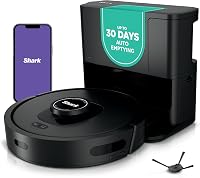
The Shark AV2820S takes a different approach through automatic cleaning adjustments. DirtDetect responds to debris, FloorDetect changes brushroll engagement for the surface, and EdgeDetect uses air blasts to move edge debris toward the cleaning path.
Shark AV2820S: choose it for mixed surfaces and awkward transitions
The Shark AV2820S suits homes where changing surfaces and thresholds complicate the cleaning route. Its NeverStuck technology lifts and lowers the robot to help it move over obstacles and transitions.
It also has 360° LiDAR, 3D object detection, and a bagless HEPA self-empty base with up to 30 days of capacity. Choose it when those movement and cleaning features address a real problem in your layout.
Measure and inspect difficult transitions before buying, since a lifting feature isn't a promise that every threshold or rug will be passable. Watch the robot cross those spots before leaving it to run alone.
Skip it if your main goal is the longest advertised interval between dock emptying. The AV2501AE has a longer capacity estimate, while this model's stronger reason to choose it is its response to floors, edges, and obstacles.
For brush care, read how to stop pet hair tangling in a robot vacuum brush. For floor-specific advice, use our robot vacuum carpet guide.
How should you set up the dock and first cleaning runs?
Set up the dock in a permanent, accessible spot, then supervise the first runs to find trouble areas. A short setup period helps you build a schedule that needs fewer interruptions.
- Place the base on a stable surface. Follow its clearance instructions and keep the approach free of shoes, baskets, and loose cables.
- Prepare the route. Lift cords, secure rug fringe, and remove small objects that could enter the brush.
- Complete mapping as directed. Open doors to rooms you want included and avoid moving the dock during setup.
- Review available map controls. Name rooms and add supported keep-out or no-go zones where needed.
- Watch docking and emptying. Confirm that the robot can return and that collected dirt transfers into the base.
- Build the schedule gradually. Start with the busiest areas, then adjust frequency based on dirt buildup.
Schedule cleaning when floors are usually clear. Avoid times when someone is sleeping nearby or taking calls until you know how the robot and its emptying cycle fit your household.
In a home with pets, begin while you're present. Give animals room to move away and keep bowls or resting spots outside the route if the robot disturbs them.
How much maintenance does a self-emptying robot still need?
A self-emptying robot still needs brush, filter, sensor, wheel, and dock care. Check it frequently at first, then use the buildup you find to set a practical routine.
After early runs, inspect the brush and its ends for hair. Check the wheels for wrapped strands and the robot's bin for debris left behind after docking.
If pickup drops or emptying becomes incomplete, look for a full bag, packed container, dirty filter, or blocked debris path. Follow the manual's troubleshooting order rather than increasing suction to compensate for a blockage.
Clean sensors and charging contacts as the brand directs. Avoid wetting electrical parts, and only wash filters or other components that are specifically approved for washing.
For a mop model, remove and clean the pad after use as directed, then let it dry. Use only water or cleaning solutions allowed by both the robot's instructions and your floor's care directions.
Keep replacement bags, filters, or brushes available before they are needed. Our robot vacuum cleaning checklist explains how to organize that care.
Which buying mistakes cause the most extra work?
The biggest mistakes are choosing by dock capacity alone and skipping layout checks. Both can leave you with a robot that needs more help than expected.
Don't choose by a suction number alone, either. Cross-brand figures don't account for brush design, room coverage, rug access, or the condition of the filter.
Avoid putting the base somewhere you can barely reach. Even infrequent disposal becomes awkward if you must move furniture to open the dock.
Don't leave the same troublesome cord or rug edge in place after repeated interruptions. Secure it, move it, or use an available exclusion zone so each run doesn't repeat the problem.
Finally, don't buy mopping simply because it's available. Choose it when it replaces useful work on suitable floors and you can keep up with pad care.
Which self-emptying robot vacuum should you choose?
Choose your self-emptying robot vacuum by the chore you most want to reduce, then check its fit with your floors and disposal routine. Use these decision rules to narrow the four options.
- Choose the Shark AV2501AE for bagless, vacuum-only cleaning when avoiding replacement dust bags is a priority.
- Choose the Roomba 105 Vac for bagged disposal and room controls that let you focus cleaning where it's needed.
- Choose the Roborock Q7 M5+ for vacuuming and damp wiping when you'll maintain the mop and manage rugs.
- Choose the Shark AV2820S when mixed surfaces, edges, and awkward transitions make automatic adjustments worth prioritizing.
Before ordering, settle where the dock will live and who will handle routine care. If neither has a clear answer, a larger capacity estimate won't solve the daily friction.
For a pet-focused shortlist, compare the best self-emptying robot vacuums for pet hair. If the bagless Shark is your leading choice, read our Shark AI Ultra review next.
Frequently asked questions
How often does a self-emptying robot vacuum need attention?
Check brushes, wheels, and the debris path frequently at first, then adjust your routine to how quickly hair and dirt build up. Empty or replace the dock's container when needed, rather than waiting for its advertised capacity period; follow the brand's directions for filter, sensor, and mop care.
Are bagless self-emptying docks better?
Bagless docks are better for people who want to avoid replacement dust bags, while bagged docks suit those who prefer carrying collected debris to the trash inside a bag. Choose the disposal process you'll keep up with; both types still need filter care and checks for blocked debris paths.
Do self-emptying robot vacuums work with pet hair?
Yes, self-emptying robot vacuums can collect pet hair and move it into a dock, but brush design and floor type still matter. Long strands can wrap around moving parts, and heavy shedding can fill the dock sooner; our pet hair robot vacuum guide explains which features deserve attention.
Does a self-emptying robot vacuum need Wi-Fi?
Wi-Fi needs depend on the model and the features you want, including app scheduling, room targeting, and map controls. Confirm the required network band before buying, especially if you cannot change your router settings; read whether a robot vacuum needs Wi-Fi for help separating basic controls from connected features.